Welcome to Kaiber
A quick guide to the creative tools and features in Kaiber.
Written By Christine Larsen
Last updated About 1 month ago
Kaiber is the creative suite to generate content, auto-sync to music, and edit scroll-stopping videos, all in one place. A generative workspace, a music video machine and a timeline editor combined. Built to take your ideas from concept to mass content.
Three tools. One workflow.
Kaiber is made up of three interconnected tools: Canvas, Beat Sync, and Editor. Each one is built for a specific part of the creative process. You can access all three, along with your Media Library and a full range of intelligent workflows directly from your dashboard.
This guide covers Kaiber desktop features. For Kaiber on mobile see → Kaiber On Mobile Vs Desktop.
Dashboard
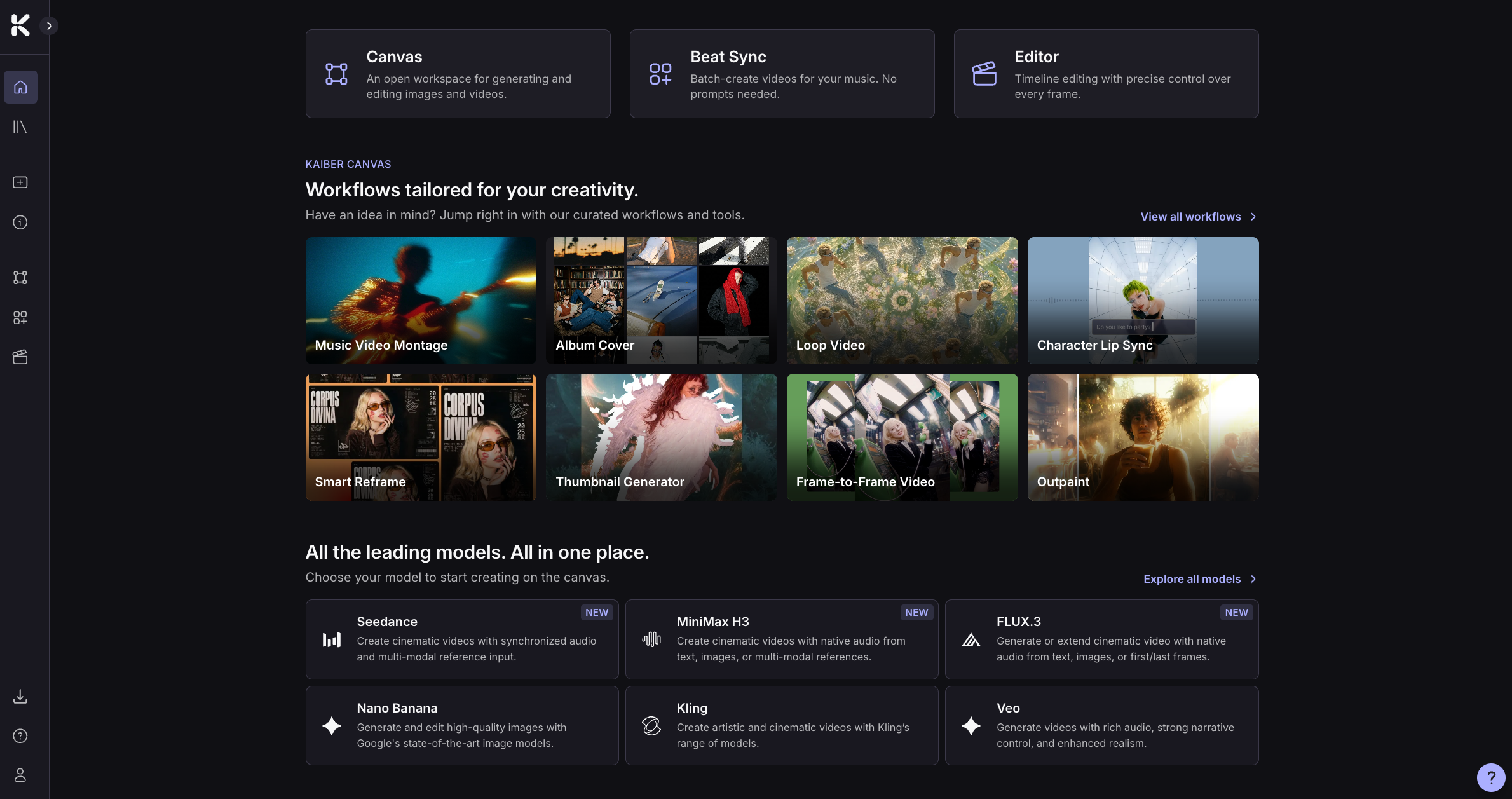
The dashboard is your home base for everything in Kaiber.
Here you’ll find:
Links to Canvas, Beat Sync and Editor
Over 20 Intelligent workflows for tasks like animating an image, restyling an image, lip sync, or even building a full music video from your audio and an prompt
Direct links create with a full range of video, image or audio models
Your Media Library
Canvas
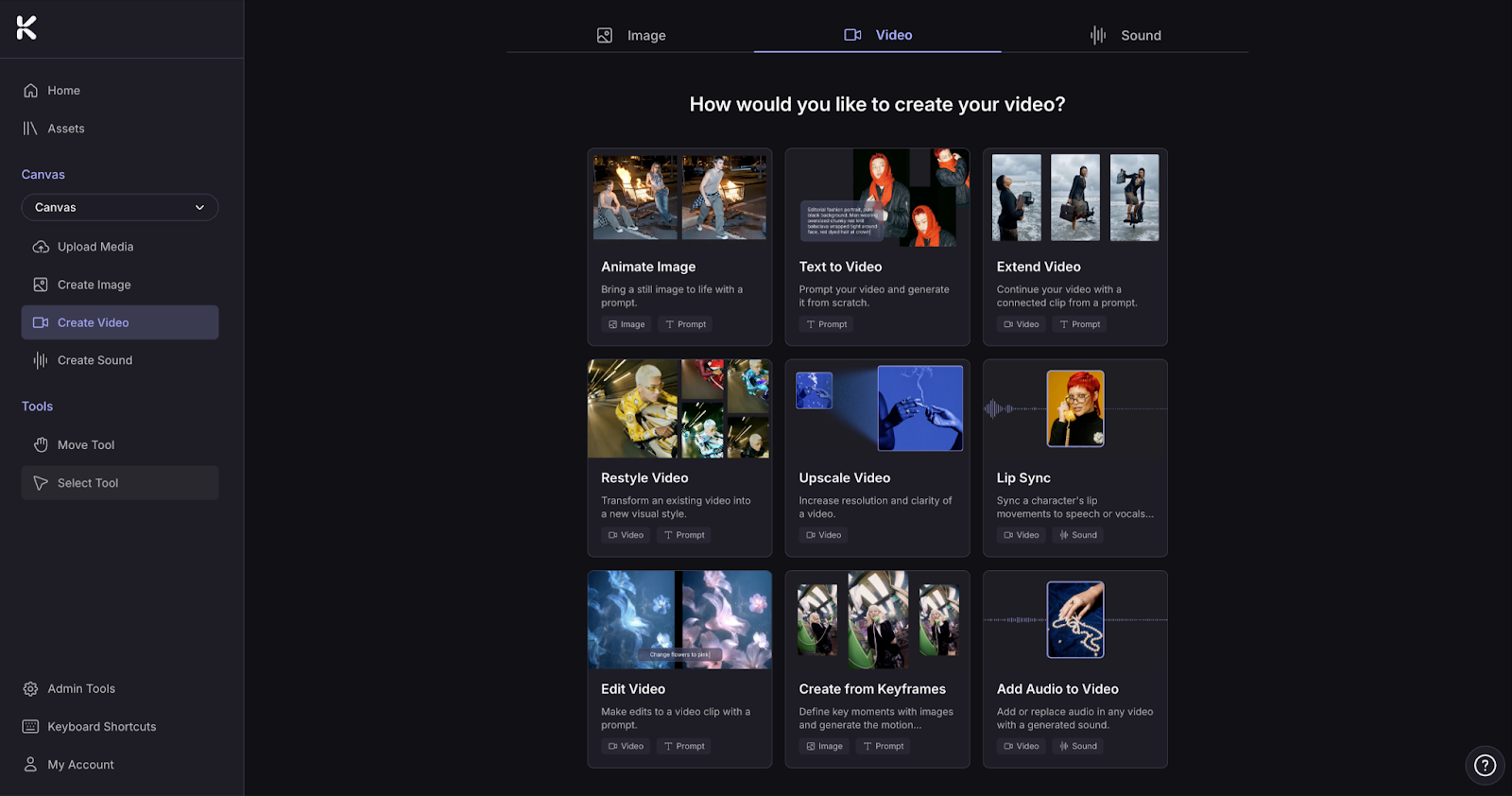
Canvas is your AI generation workspace. Generate, arrange, and remix videos, images, and audio using a curated selection of the best AI models. Start with an automated workflow, upload your own media, or just prompt your idea.
Beat Sync

Beat Sync turns music and visuals into beat-synced videos. Upload audio, and one or more images or videos. Beat Sync auto-generates up to 10 video variations at once. Videos are synced to the beat, and auto-captioned. Videos export ready to publish on any platform. Zero prompts required.
Editor
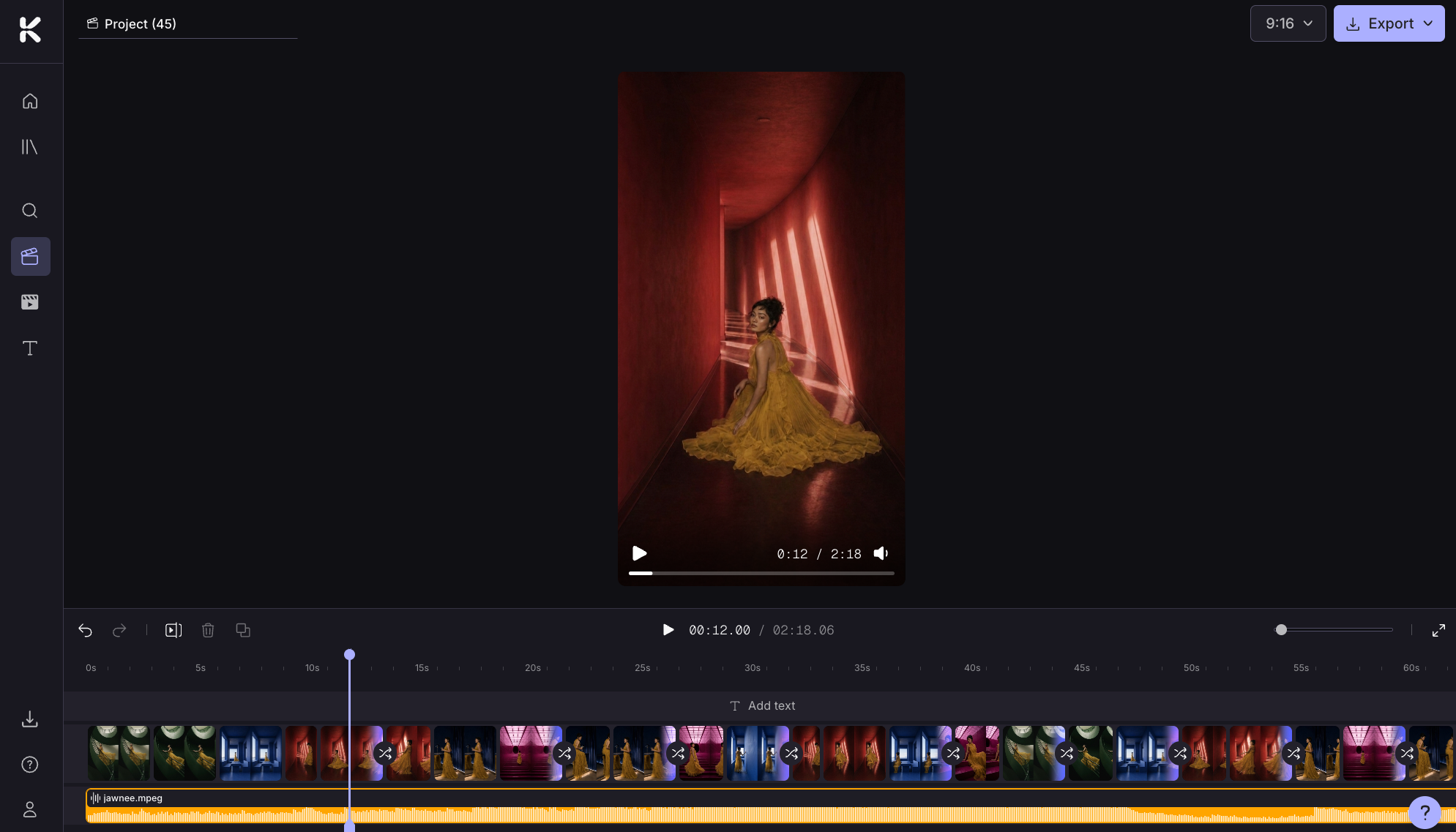
Editor is a timeline video editor for sequencing clips, layering audio, adding transitions and text, and exporting in multiple aspect ratios. Assemble full projects or add finishing touches to your videos.
How Canvas, Beat Sync and Editor work together
Canvas, Beat Sync, and Editor are connected, so you can move from one to the other as you work on your projects. They also work independently, you choose whatever fits your workflow.
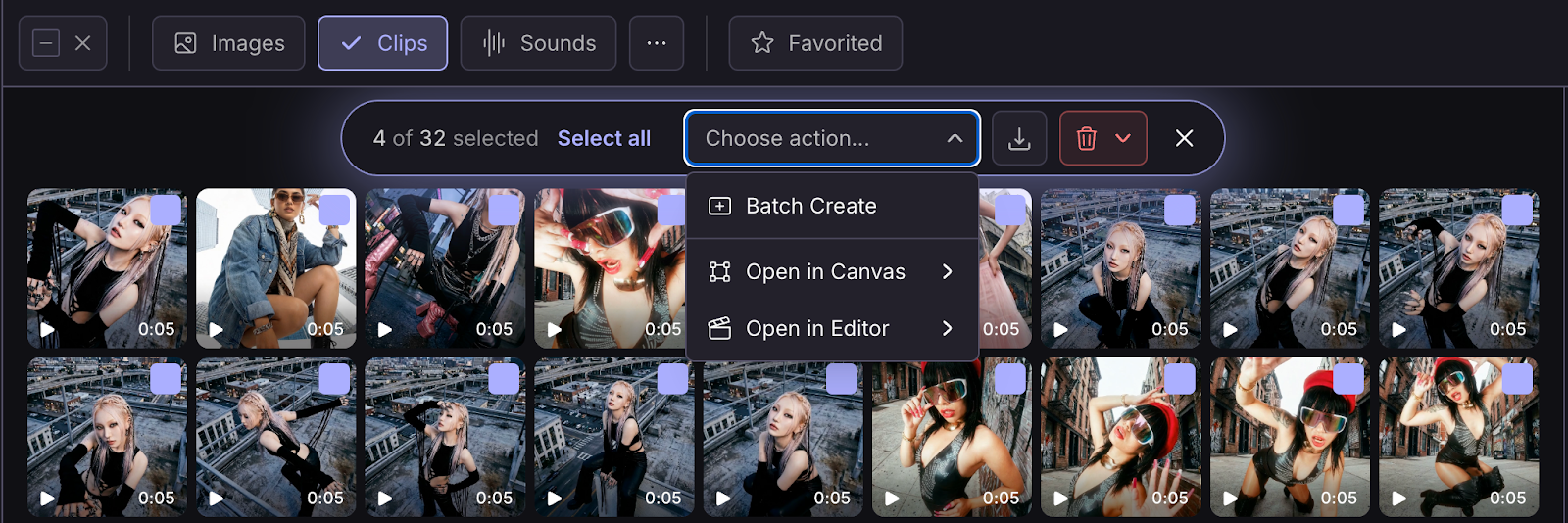
Everything you create or import is saved in your Media Library. You can access it from Canvas, Beat Sync and Editor, and through the dashboard homepage by clicking on the folder icon in the the toolbar. Look for the folder icon on the toolbar.
Select the media you want to work with and choose where you want to work with it. The media will automatically be added to your Canvas, Beat Sync or Editor project.
Get started
Ready to start? Head to the dashboard to start creating
Need a plan? View plans on the pricing page
Want to learn more? Check out the Project, Workflow, Model and Prompt Guides
FAQs
What is Kaiber?
What is Kaiber?
Kaiber is a platform for creating AI-powered videos. It's made up of three connected tools.
Kaiber Cuts: Batch-create beat-synced videos from your sounds and visuals. Upload a track and add images or video, or Auto-Clip a long video into shots. Cuts generates up to 10 ready-to-post videos at once. No prompting required.
Kaiber Canvas: Generate AI videos, images, and audio on an open canvas using a curated set of the best AI models. Edit, restyle, animate, lip sync, add audio, generate videos with sounds, create videos from keyframes, upscale images and videos.
Kaiber Editor: Sequence, trim, and finish your videos with precision in a dedicated timeline editor.
Do I need to use prompts to create in Kaiber?
Do I need to use prompts to create in Kaiber?
You can create without prompts using Beat Sync, and a selection of Canvas workflows. Beat Sync creates variations of images and videos, animates images and creates batches of beat-synced videos without prompts.
What tool should I use?
What tool should I use?
Beat Sync: if you've got a sound and some images or clips and want beat-synced content fast. Built for musicians and creators who need volume, or anyone who wants to make videos from audio without prompts.
Canvas: if you want to generate AI videos, images, or audio from prompts or reference media.
Editor: if you've got videos you want to arrange, trim, and finish manually on a timeline.
Do I need a different plan for each tool?
Do I need a different plan for each tool?
One Kaiber subscription covers everything. Different plans unlock different features and limits. Find out which plan is right for you at https://kaiber.ai/pricing
Can I move my content between the different tools?
Can I move my content between the different tools?
Yes. All your media, including imports and generations, is stored in the Media Library and can be accessed from Canvas, Beat Sync, and Editor. Click the folder icon in the toolbar to open the Media Library.
You can create full projects in Kaiber and only export when you’re ready to share.
Where do I make music videos?
Where do I make music videos?
Beat Sync: Create beat-synced music videos from your images, clips, or Pinterest boards. Or upload a video, auto-clip it into shots to remix in your music video. No prompts required.
Canvas: Create music videos from your audio and a description using Music Video Montage. Or, work from prompts using a full range of AI video and image models including lip sync, Veo, Kling, Nano Banana, Wan and more. Create clips and assemble in Editor with your audio.
Editor: Manually edit clips into complete projects, or add finishing touches to your videos before publishing.
Where do I make social media assets?
Where do I make social media assets?
Beat Sync: Create up to 10 videos ready-to-post videos in batches. Perfect for Reels, TikTok, and YouTube Shorts. Add lyrics or custom captions, and export in any aspect ratio. All without prompting.
Canvas: generate AI images and videos for socials, with a full range of models for key frame animations, video with dialogue and audio, lip sync, upscalers, image and video editors and more.
Editor: combine and polish your videos in Editor before posting.
Do I need design or video editing experience to create with Kaiber?
Do I need design or video editing experience to create with Kaiber?
No. Kaiber is designed for creators at any level of experience.
Beat Sync creates post-ready videos with zero prompting. Just upload one or more images or videos, add a sound and you’ll have videos you’ll want to share in minutes.
Canvas has a range of image and video models, selected for quality and ease of use. Explore the featured workflows and resources on the dashboard homepage to find what works for your project.
Editor is designed to be simple to use, even if you’re new to video editing. Just drag your clips from your assets on to the timeline and they’ll automatically connect. Add transitions, audio, or trim your clips. Export in aspect ratios for any platform.
Was this helpful?
Still need help? Ask the team