Music Video Sequence: Create music videos shaped by your sound
This guide covers how to create music videos with Kaiber’s Music Video Sequence on mobile and desktop.
Written By Kaiber Support
Last updated 20 days ago
Music Video Sequence is a Kaiber intelligent workflow that analyses the structure and content of your sound to create music videos with unique moments and settings, mapped to your song so the clips follow the music.
Upload your sound, add an optional prompt to describe your character or subject, actions and settings to create a music video in minutes.
Music Video Sequence creates music videos between 30 seconds and 4 minutes,
Three modes to generate with
Generate: create a music video from your audio and description
Reference: create a music video from your audio and description, guided by a reference image
Restyle: create a music video from your audio and description, guided by a reference image, styled by your music and prompt
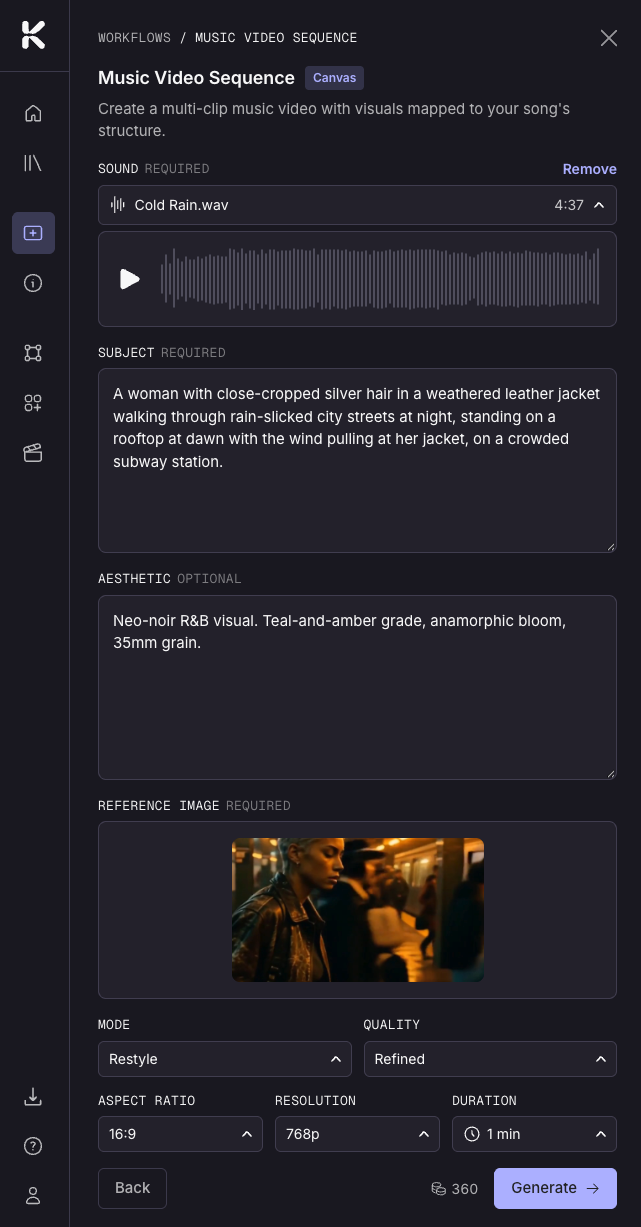
Subject: A woman with close-cropped silver hair in a weathered leather jacket walking through rain-slicked city streets at night, standing on a rooftop at dawn with the wind pulling at her jacket, in a crowded subway station.
Aesthetic: Neo-noir R&B visual. Teal-and-amber grade, anamorphic bloom, 35mm grain.
Access and set up the Music Video Sequence workflow
Open Music Video Sequence in the Kaiber Dashboard Workflows, on mobile or desktop.
Add your audio
Upload your audio file from your Media Library or device.
Choose the Mode
Generate Mode to create a video from your text prompt and music, or Reference or Restyle to add an image.
Reference uses the image as a guide for each clip.
Restyle uses your aesthetic prompt and sound to restyle and change image to create your clips.
Add reference image
For Restyle and Reference modes
Choose your video length, aspect ratio, mode, quality and resolution
Video length: 30 seconds, 1, 2, 3 or 4 minutes
Aspect ratio: 16:9, 9:16, 1:1, 3:4, or 4:3
Resolution: 540, 720, or 1080p
Quality: Refined or Fast
Prompting for Music Video Sequence
Use a prompt to guide your video (optional)
Subject: who or what the video is about. Describe details like hair, build, clothing, texture.
Action: describe a single action or list 3-4 actions.
Setting: describe a single setting or list 3-4 settings. Include time of day and weather if relevant.
Aesthetic: the visual style of the video e.g. anime; oil painting; 1970s film or cyberpunk. Leave this blank if you're not sure. The audio analysis will pick a genre-appropriate style on its own, and this works best on songs with a strong, clear genre identity. Not available in Reference mode as it will use the aesthetic of your image.
Example of a multi-environment prompt
A woman with close-cropped silver hair in a weathered leather jacket. Show her walking through rain-slicked city streets at night, standing on a rooftop at dawn with the wind pulling at her jacket, catching a train in a crowded subway station.
Leave out
Camera direction: camera movement is automated. Skip directions like "camera zoom" or "camera pan."
Lyric video instructions: use the Lyric Video workflow for that.
Tip: Test your prompt with a 30 second, low resolution video first, before committing to a longer one.
Generate your music video
Once you're happy with your prompt and settings, click Generate to create your video.
Other resources
Music Video Montage: turn audio into a single continuous music video in minutes
Was this helpful?
Still need help? Ask the team