How to Choose Your Music Video Workflow in Kaiber
This guide covers how to pick the right music video workflow for your track: Music Video Montage, Music Video Sequence, or Lyric Video.
Written By Kaiber Support
Last updated About 2 hours ago
Start with your song
Does it hold one mood start to finish, or move through different energy and action? Are the lyrics the focus? That's the whole decision. The rest is how you want to describe your vision.
One mood, start to finish
Music Video Montage and Music Video Montage 2.0 build a video around one subject, in one setting, in one visual style, based on the emotion and content of your song.
Try with : slow R&B or soul ballads, moody synthwave or ambient tracks, stripped-back acoustic songs.
Read the guides
→ Music Video Montage: Turn audio into a music video in minutes
→ Create a Music Video with Music Video Montage 2.0
→ Music Video Montage: Full Prompt Guide
Shifts in energy and action
Music Video Sequence moves your subject through multiple settings and actions, mapped to your song's structure as it builds and releases.
Try with: EDM or dance tracks with builds and drops, rock or alt tracks with dynamic range, hip-hop tracks that shift mood.
Read the guide → How to Create Lyric Videos in Kaiber
Lyrics on screen
Lyric Video transcribes your song and builds the lyrics into the scene.
Try with folk or singer-songwriter ballads, slow-tempo pop or R&B, country songs with clear, slower vocals.
Read the guide → How to Create Lyric Videos in Kaiber
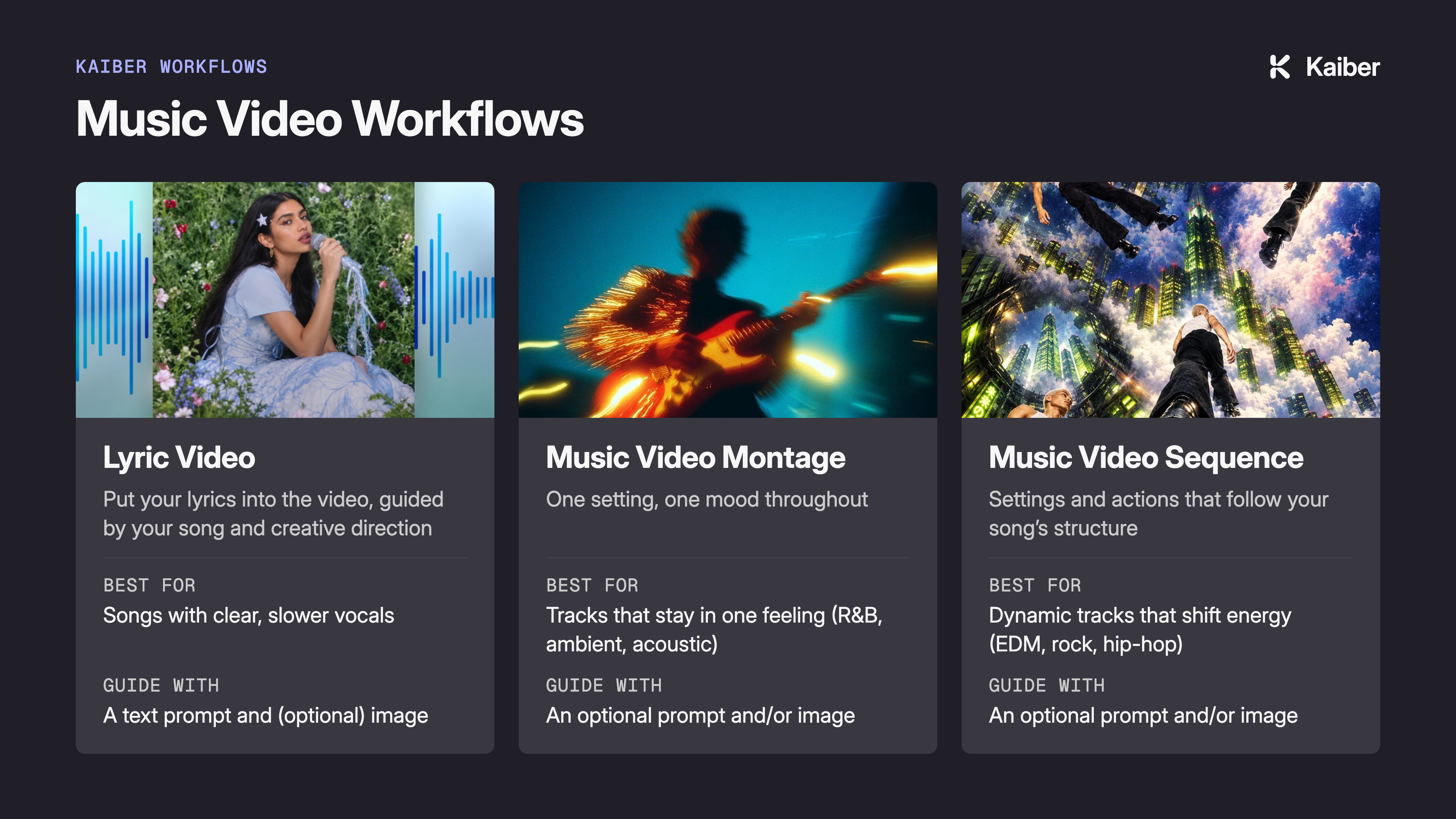
How does your sound look?
One mood, one look, start to finish: Music Video Montage
Shifts in energy and action: Music Video Sequence
Lyrics on screen: Lyric Video
Where to find them
All three are on your Kaiber dashboard, on mobile and desktop.
FAQs
Can I test a workflow before committing to a full-length video?
Yes. Generate a short, low-resolution pass first to see how your prompt reads against the track, then commit credits to a longer version once you’re happy with it.Do I need a reference image to use any of these workflows?
No. Generate mode creates a video from your audio and prompt alone, no image needed.How long can my music video be?
3 minutes for Lyric Video, 4 minutes for Music Video Montage and Sequence
Was this helpful?
Still need help? Ask the team